Features

Improved Home Tab

5y agoCompleted

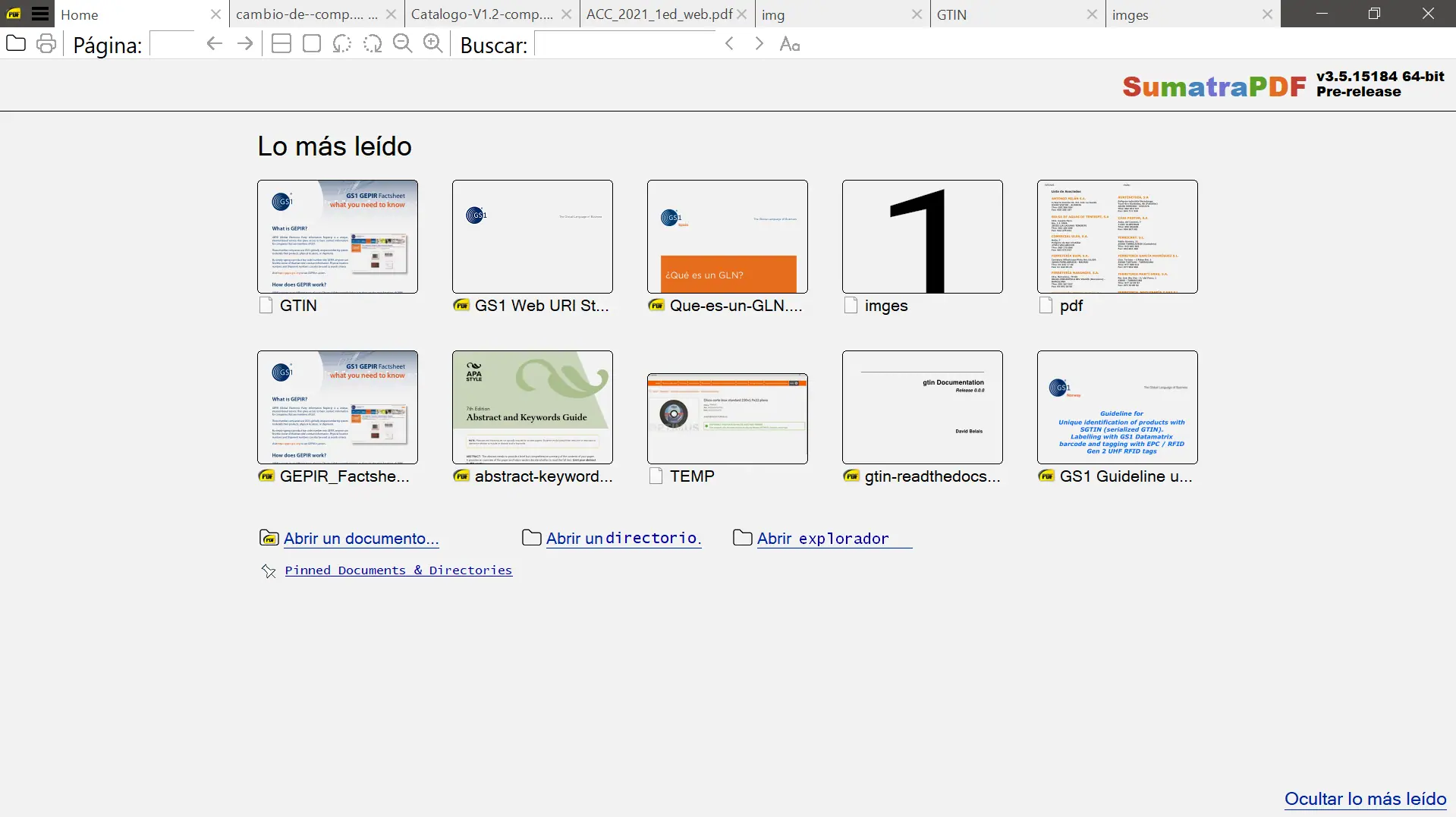
- Different tab size, the middle or only icon. - If home tab is closed, you can open new with ctrl+t - Use different icons for directories. - Add shortcut to open directories, equal open files. - You can pin documents or directories. This is another suggested for sumatra: New feature, file explorer integrated for surf thought device and drives how bookmarks or alt+o
  • img/jk42oo57h935unla6qm1f54v
and 4 others

2 comments

  1. Krzysztof Kowalczyk marked this as Completed15d ago
  2. Mostly done in 3.7, available in the pre-release: https://www.sumatrapdfreader.org/prerelease

    - The Home tab is now only as wide as its label. - The + button after the tabs, or Ctrl+T (in the next pre-release build), opens a new Home tab; Ctrl+K → Go To Home Page brings it back. - Pin Selected Document pins documents on the home page. - File → Open → Browse Files In Folder... (Ctrl+Shift+Up) is a built-in file browser with back / forward / up and a filter.

    Showing and pinning folders on the home page is not done; please open a new request for it if you want it.

  3. A simpler option could be two groups, most viewed and recently opened, so that we can choose what we want to see.

    The motivation comes from the fact that you regularly open many PDFs every day in the same session, so you never see the most recent files in the home tab.

    Separate pinned files from the most read, and implement directories are a plus.

    Either in different views, groups or A simpler option could be two groups, most viewed and most recently opened, so that we can choose what we want to see.

    The motivation comes from the fact that you regularly open many PDFs every day in the same session, so you never see the most recent files in the home tab.

    Separate pinned files from the most read and implement directories.

    Either in different views, groups or inside tabs.