Features

FULL DARK MODE INCLUDING WINDOW, SCROLLBAR, TITLE BAR, MENU BAR, AND TOOL BAR

3y agoCompleted

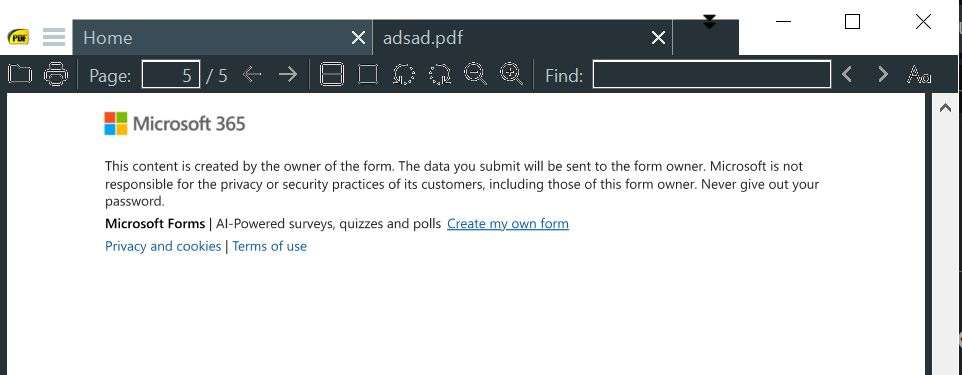
I can't believe that in 2024 Sumatra PDF doesn't have a basic fully skinned dark theme with no white anywhere. Foxit, Xodo, even PDFXEdit10 all have fully skinned dark themes, but Sumatra is better and lighter in every other way. I want existing Sumatra PDF only with full dark mode. All of features do not matter to me, the app is fine as is. I just want it to be FULLY dark with no white anywhere.

On Windows 10, Sumatra dark mode only makes the tabs and toolbar dark, but will force the document to be white even with advanced settings enabled, so that's a bug (latest version 3.5.2)

But besides that, the title bar, outside of the tab bar, and scroll bars are all white.
  • img/m4ihlw9zvfmhzffvz1qvmwkp
  • img/duoco3ly3qda905mdq3dqm0f
and 12 others

4 comments

  1. Dark mode is improved in pre-release https://www.sumatrapdfreader.org/prerelease.

    Changing color of document is independent of theme and it's invoked with `i` (invert colors functionality).

    Changing title bar color works in win 11 because Microsoft added api to do that.

    Changing of scrollbars is not possible without re-implementing them from scratch, which is too much work.

    1. abc8mo ago

      i thought "i" is zoom? https://sumatrapdf.userjot.com/board/p/zoom-value-100percent…

      alright i got it: "i" is zoom (show) and shift + i is invert colors functionality.

  2. K J3y ago

    Always a work in progress so use the latest as 3.5.2 code cannot be changed, as for scrollbars that is Windows VScode added by Microsoft so Windows theme applies there. And although Acrobat does it better!! they have a bigger team.

    • img/g517fhr8a691zzorx8lci2dh
    • img/cv5a2miy7xewxxmu65qndsnk
    1. Full Name I know it's maybe too much work, but apparently the scrollbars ui colors can be changed in code. https://github.com/sumatrapdfreader/sumatrapdf/blob/ea2c3e03…

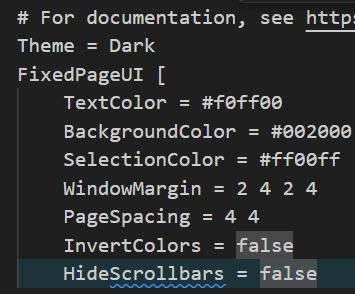
      Maybe its' old code, but if you really need a permanent dark mode you can just change the hex colors of de background and the button and should work.