May 11
UI Themes / dark theme
Add a way to support UI theme (change colors of UI), implement dark theme
Completed
I know this vote is already Closed, but : - please put a BUTTON on the toolbar to toggle it immediately ! _(And also for doc-invert currently available only as keyboard shortcut [i])_ ## Finding this feature actually hurts eyes ... # Also Upvote please: https://sumatrapdf.canny.io/feature-requests/p/invert-colors… Issue: https://github.com/sumatrapdfreader/sumatrapdf/issues/4846
I need a way to switch to dark mode for my pdf documents and chm documents, may be from the view menu something like (Switch To Dark Mode)
Thank you!
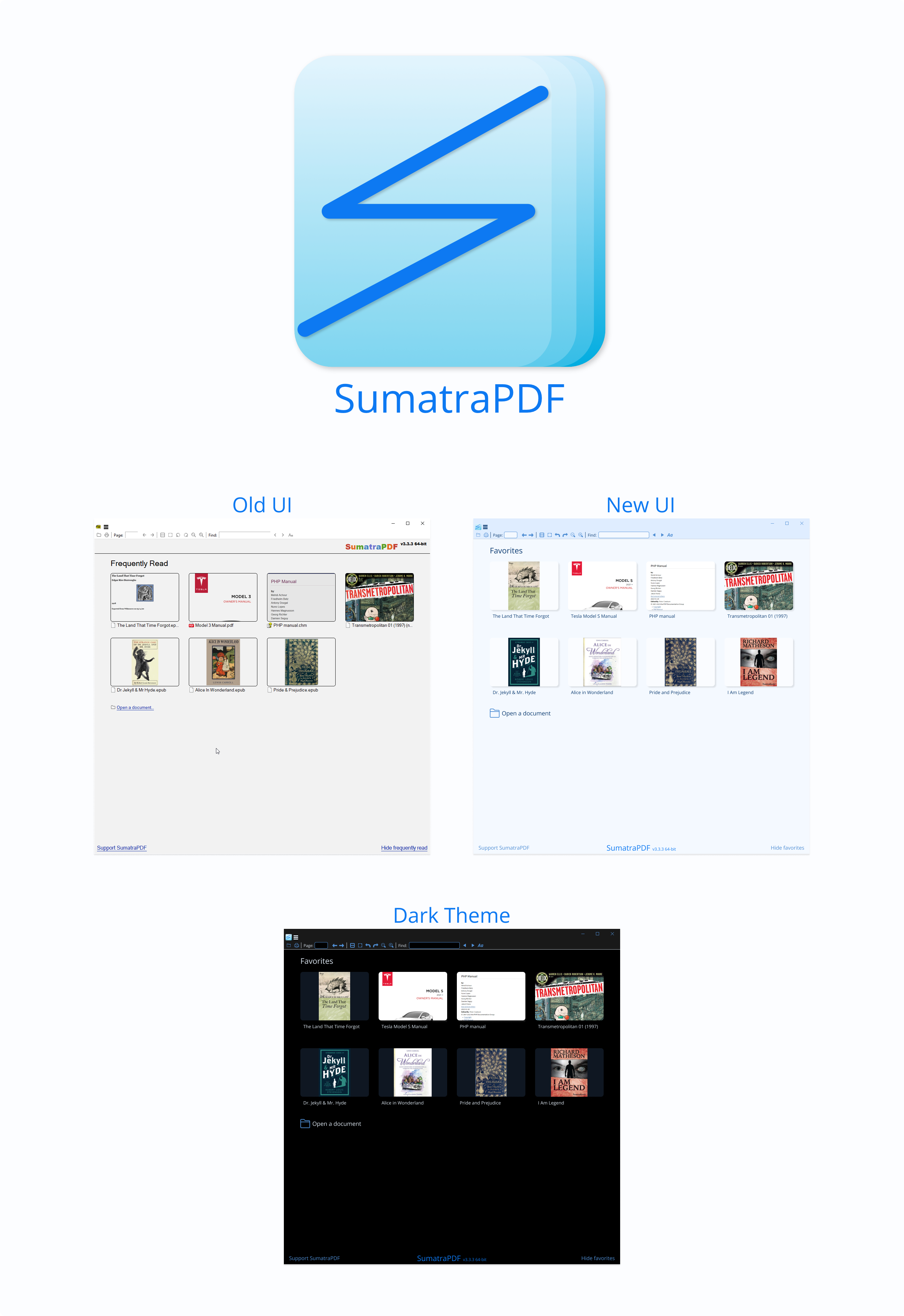
I have a suggestion for a standard theme and a dark theme where I have done some small updates for a cleaner look: - New logo that looks like a stack of paper - Font used for logo and text: Open Sans - Blue theme colors - New icons based on Microsoft Fluent Emoji (open source) - Icons for file types are not there by default (looks messy) - Wording changed from "Frequently read" to "Favorites" (would also like more entries, in line with "Home Page Favorites #3077") - Soft shadows added to images - Sumatra logo and version number moved to the bottom, leaving more room for- and focus on books - Text with links are not underlined, but the text changes color when you hover above it with your cursor
Maybe add a button to toolbar to quickly change colors of document - default or custom (alternate colors set through options, along vith picture inversion setting). This should follow UI theme settings-dark/light/auto (ie. if ui dark mode is selected, turn on dark document setting), but allow change of document colors on demand. Custom document colors are available through advanced settings, and that's not really convenient to quickly change. A few dark mode presets can be available.
It would also be nice to add support for a dark mode for text, with only inversion of colors, which would make PDFs that mostly contain only text better to read.
the menu can be dark but not the pdf-file. i want to read my pdf-file as it is, the menu can be dark allthough it's not neccessary, because it's so small and thin and not visible. that's why sumatrapdf is so good, i can fully concentrate on the pdf-file and it's content.
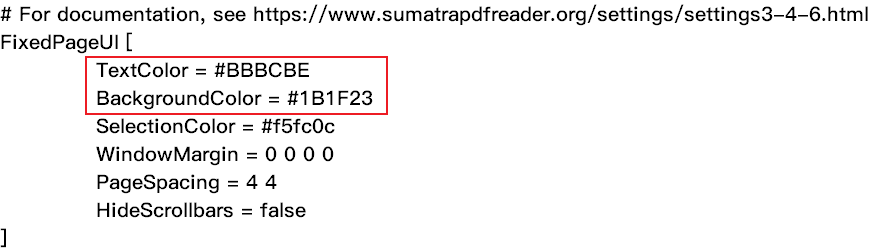
abc: the dark in pdf-file I have a excellent method, First, open the "SumatraPDF-settings.txt" in the same directory as the "SumatraPDF.exe" then set the TextColor = #BBBCBE and BackgroundColor = #1B1F23 then save it. Like the picture blow. After my long-term experiments, this plan is more suitable for night time than pure black.
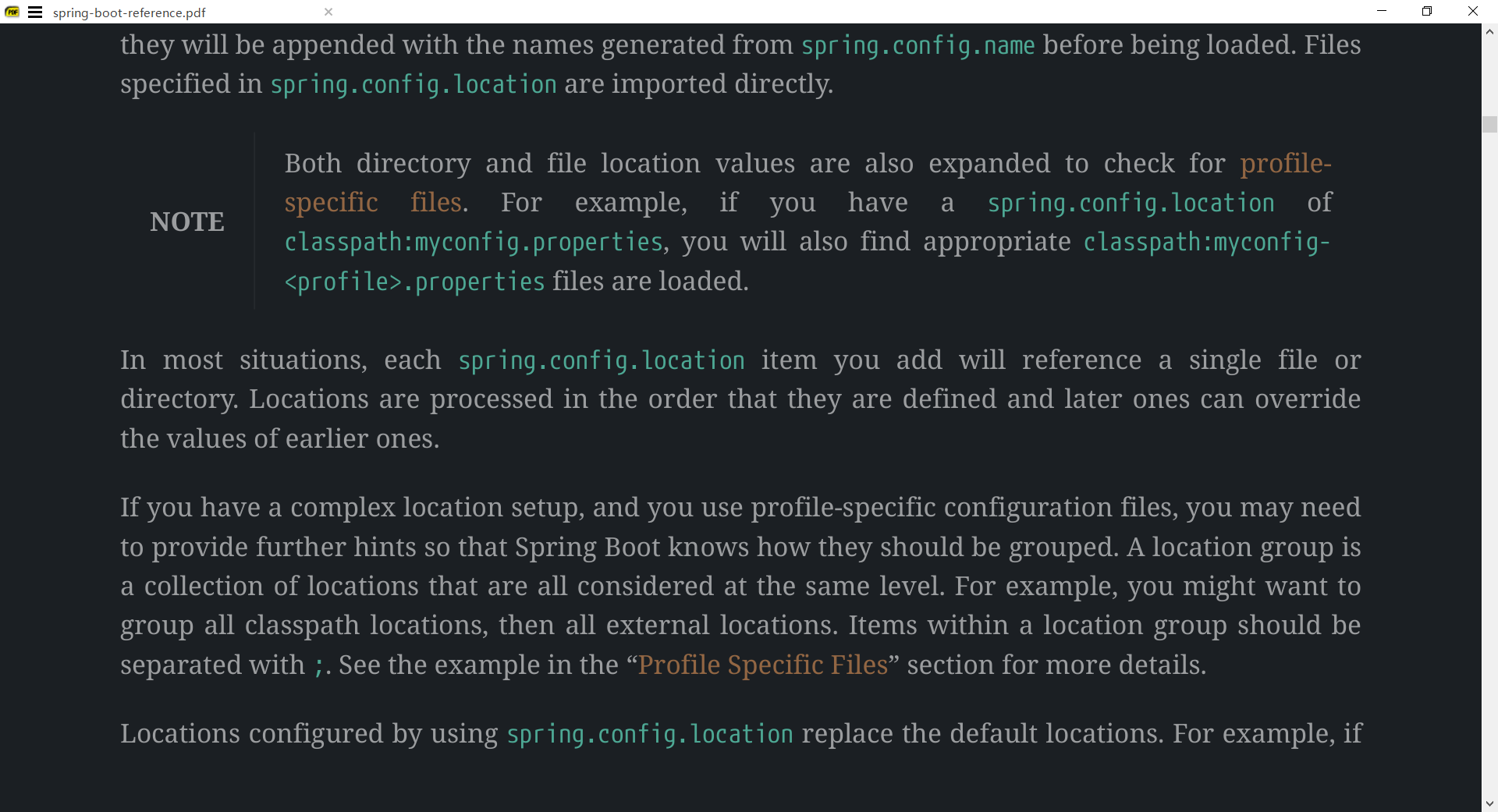
Armstrong: useless, i want the tiny menu black, not the dokument black and for me the SumatraPDF-settings.exe was in "C:\Users\USERNAME\AppData\Local\SumatraPDF" or accessable via sumatrapdf => menu => settings => advanced options. try reading my text slowly. i want the document untouched!

IMHO, the background color of PDF files should be loaded from the theme selected by the user. If you want a dark theme, it is because you do not want a really large 4K monitor's nuclear-white screen hurting your eyes while reading. Having to edit the advanced settings is not a user-friendly approach for a "normal" user. ``` FixedPageUI [ TextColor = #000000 BackgroundColor = #b0b0b0 ```
thank you for the dark mode/dark theme skin in sumatraPDF v3.6. i really enjoy using the dark mode althought in most cases the pdf-files are mostly white with tiny amount of other colors. this is exactly what i wanted and i especially like Dracula and Dark background and Bright text. i need a dark background (not necessary he darkest) but also important is a bright and slightly bold text/symbols.