May 15
Better annotation support
The basics of annotation tools are already present, and they work really well! But compared to other pdf viewers, the tools are quite limited and not really user friendly.
Pending
The underlying muPDF viewer does not currently support tooltip popup annotations, e.g. for acronym reminders (though it did earlier, e.g. in SumatraPDF 3.0). It makes it quite hacky to draw two annotation types on the same spot to work around this limitation. See https://github.com/sumatrapdfreader/sumatrapdf/issues/1914#i… and the workaround https://github.com/tobidelbruck/acronyms-with-tooltips-latex. SumatraPDF could help encourage the muPDF developers to fix this problem.
The ability to un-annotate within the reader. I highlighted this word, but would like to use Shift-A (or other keyboard option) to un-highlight it.
would be great if we could setup our custom shortcuts for annotations. For ex- <a-y> for yellow, <a-g> for green, <a-l> for lime. Or even custom color mappings, say <u-1> for an underline of #aaff99 .
I honestly came here to type this. We need a better pdf annotation system. lightweight, one that can be used by college students as well as instructors that rely on digital annotation tools for teaching their class. This will be greatly helpful for students that have note-taking devices like Microsoft surface pro. Specifically, I want to see all the tools currently available on the latest version of Samsung's Notes app on android. - I should be able to click on an option that puts me on annotation mode using a pen etc - icons should be visible to select annotation tools such as highlight, draw, resizer tool, laser pointer, eraser, etc
YES. BE ABLE TO CHANGE COLOR FOR COLOR PRESETS. NOW THEY ARE ALMOST USELESS.
Vladimir Zubkov check current Pre-Release there are many more settings for annotation than in the past So an icon or shortcut can be used for preset colours off most annotation types currently used Square circle text etc.
It would be amazing if some keyboard shortcuts could be added to "strike-out" and "squiggly", in addition to the already existing ones for "highlight" (a) and "underline" (u).
Tobias这个可以通过自定义快捷键命令实现,在高级设置里
We love SumatraPDF, please help us to love it more. Thx!
1. free text annotations need to have box size auto-adjust to surround text 2. should be able to move free text boxes around 3. set font/font size/border/color once and have it stay as you make new free text boxes free text is critical when you are trying to quickly add things like fingerings to music scores. Making this very fast would be of great value.
Free Text and others like shapes are currently resizable but PDF standard specification restricts some from move or adjust.
It would be great to see the comment for all annotations in a column, just like Acrobat, without having to click on each annotation to see it's comment. The way it is now, it is impossible to look for something which was commented in a book with many annotations (and comments), bacause you would need to click on every annotation to see what's the comment. Also, free-hand highlighting for documents without OCR.
i just use highlights, so could be amazing if we could change the color of highlights, more... handly and more colors, the rest is amazing: tabs, resources, size.. everything (to me).
I came here to propose what Alex already proposed. A window showing all the annotations in the document (with the respective comments). One of the main reasons of annotating is to be able to quickly find these highlights later when needed.
Please add some simple/quick keyboard shortcuts for different colors for highlights. It would be quite a big quality-of-life over just pressing `a` for one color (yellow). Or a hover menu for annotation colors if possible like other PDF readers.
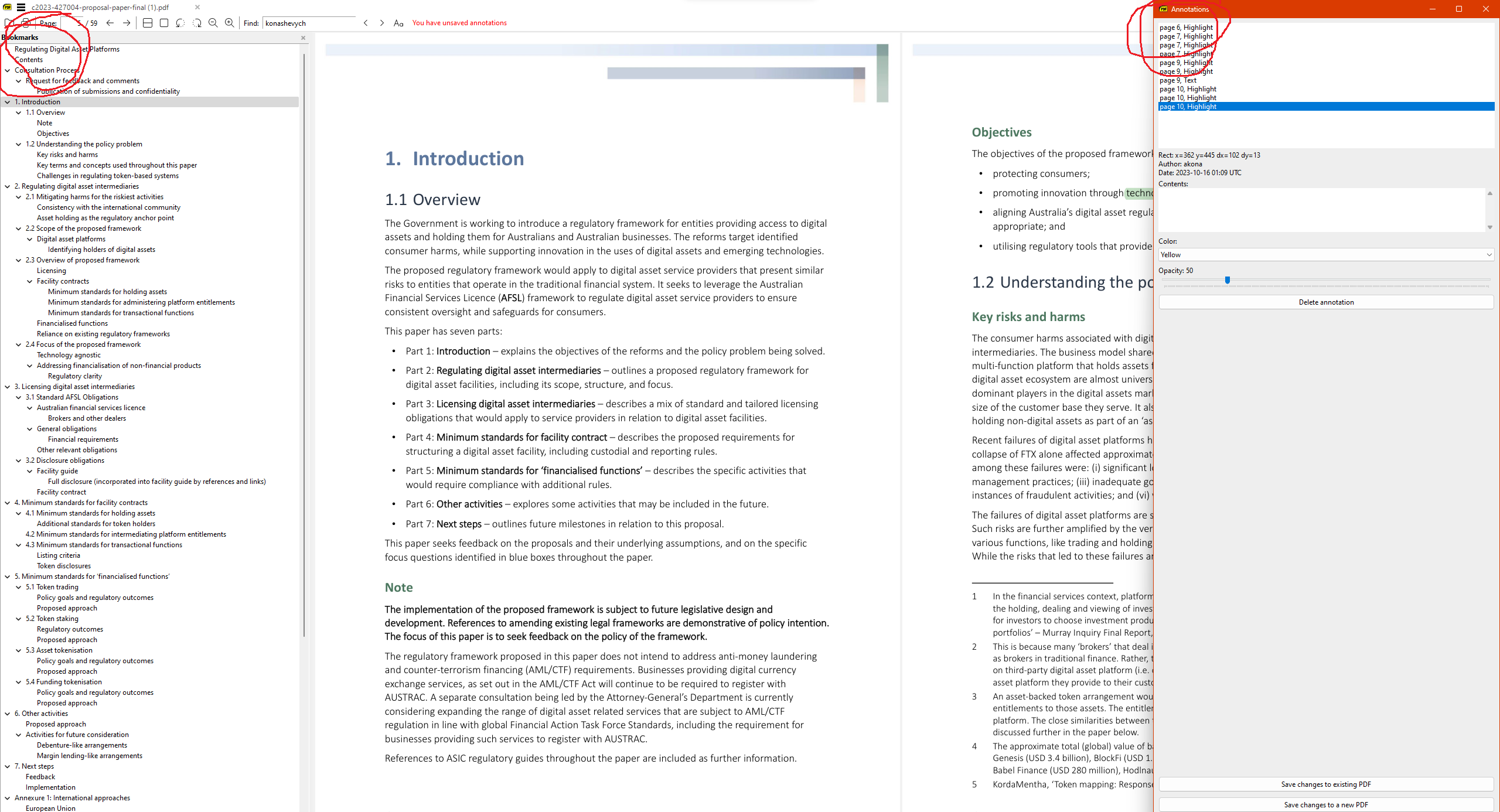
Why not integrate the Annotations window similar to how Bookmarks are integrated? Having Annotations open in a separate window is inconvenient. I usually place it right next to the PDF body anyway.
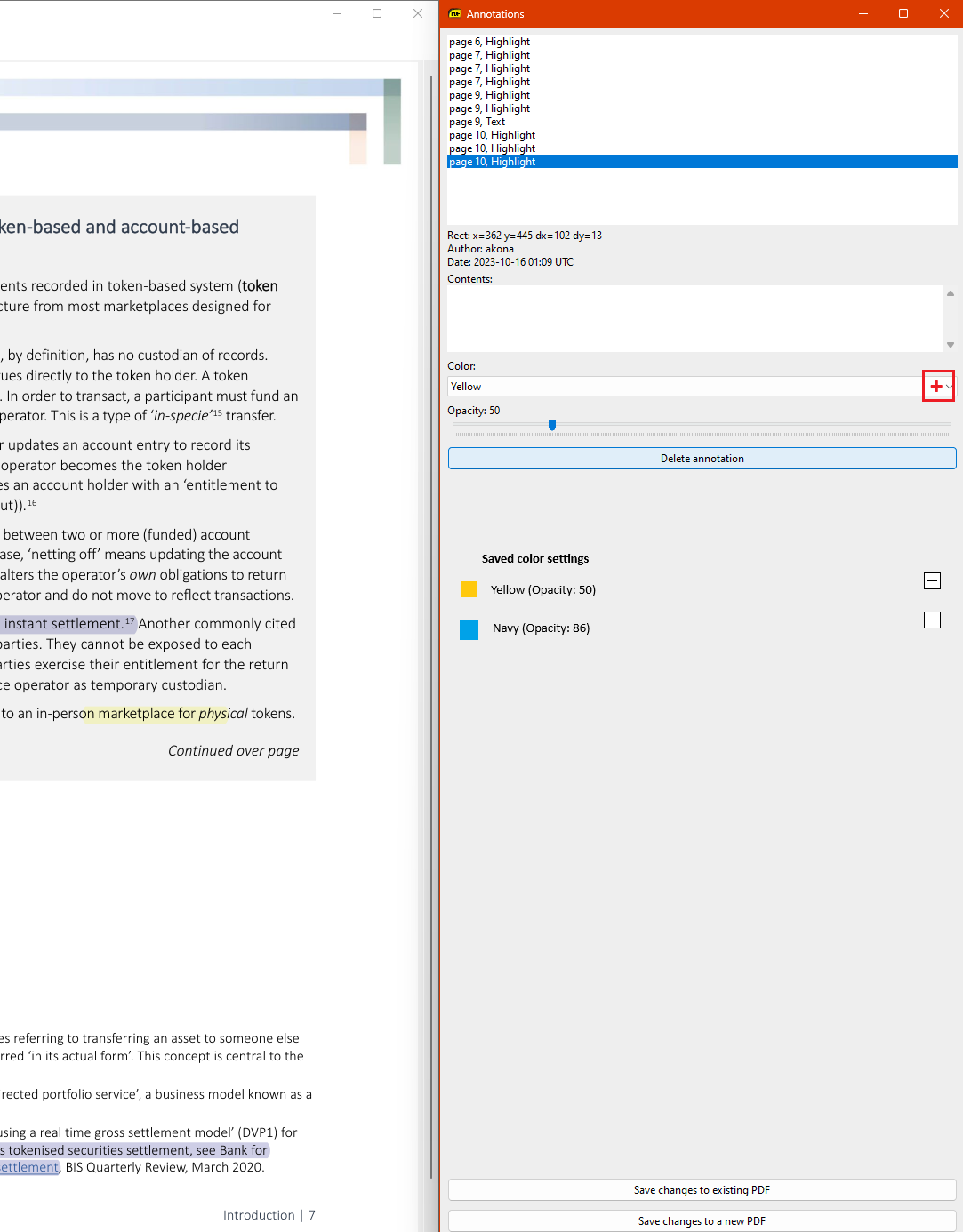
Additionally, I have a more specific proposal that could significantly enhance the user experience. Allowing users to save their color settings would be a game-changer. It's currently inconvenient to keep switching between color settings for annotations. By enabling the storage of user settings—such as ten favorite colors—you could greatly improve usability. Essentially, there are two parameters to store: color name and opacity setting. Please see the attached screenshot for a visual proposal. (P.S.: Sumatra is fantastic, and the developers are doing an excellent job! My utmost respect and support go out to their work.)
Inserting image annotions would be great, when you are required to "sign" the document
Yes, It would be handy for me to quickly add green check marks, red cross marks and yellow attention !-sign marks with just some right clicks. As a further addition, semaphore-colored square boxes to highlight an area, instead of text, would be used with the same goal.
This application is currently a lightweight PDF reader that consumes minimal memory and responds quickly. However, I would like to enhance its functionality to include quick annotation capabilities with **ink annotation** features. By incorporating these additions, SumatraPDF will transform into an ideal PDF reader for individuals who frequently work with PDFs. Though I have discovered it in the command palette, it is not functioning yet. I eagerly anticipate the implementation of this functionality.
Better Free-text. Boxes need to be resizable and a more intuitive editing would really help. Foxit free-text resizing is now broken, and current Sumatra feels even more awkward. Also, area highlight (like Foxit, but movable); it's much more versatile and looks better than line highlights. As mentioned elsewhere, signature stamps (not cryptographic signatures) is a major time saver and recently got nerfed in Foxit as well.
There is an issue when visualizing the annotations, sometimes the boxes entities overlap each other making hard to see what comment correspond to another. https://github.com/sumatrapdfreader/sumatrapdf/discussions/3…
Please consider double click edit the annotation. And way to save annotation templates.
it would be great if I could save the config for free text annotations like color, font, etc !! and be able to make text annotations without having to exit fullscreen
i have never tested annotations on sumatrapdf. can i put an annotation on a pdf-file (let's say on the first page) and save it and then open it with sumatrapdf and the annotation is still there and even edible? can i open it with other pdf-viewers too and watch/edit there sumatrapdf-annotations too?
abc: Yes, update to beta releases.
I found Zotero pdf annotation tools quite convenient for my usage, maybe SumatraPDF can take a look and learn one or two things. I do understand Zotero keeps annotation on external files which is different what Sumatra does. Can we let user decide if they want their annotation being in their pdf file or in external file?